4 December 2025 · development
DESIGNING MORE CARNAGE: USING REACT, GSAP, FRAMER MOTION AND LENIS
Immersive MORE CARNAGE gallery built with React, Swiper, GSAP-level motion tweaks, and cinematic video backdrops that turn every slide into a lucid, mesmerizing digital art moment.
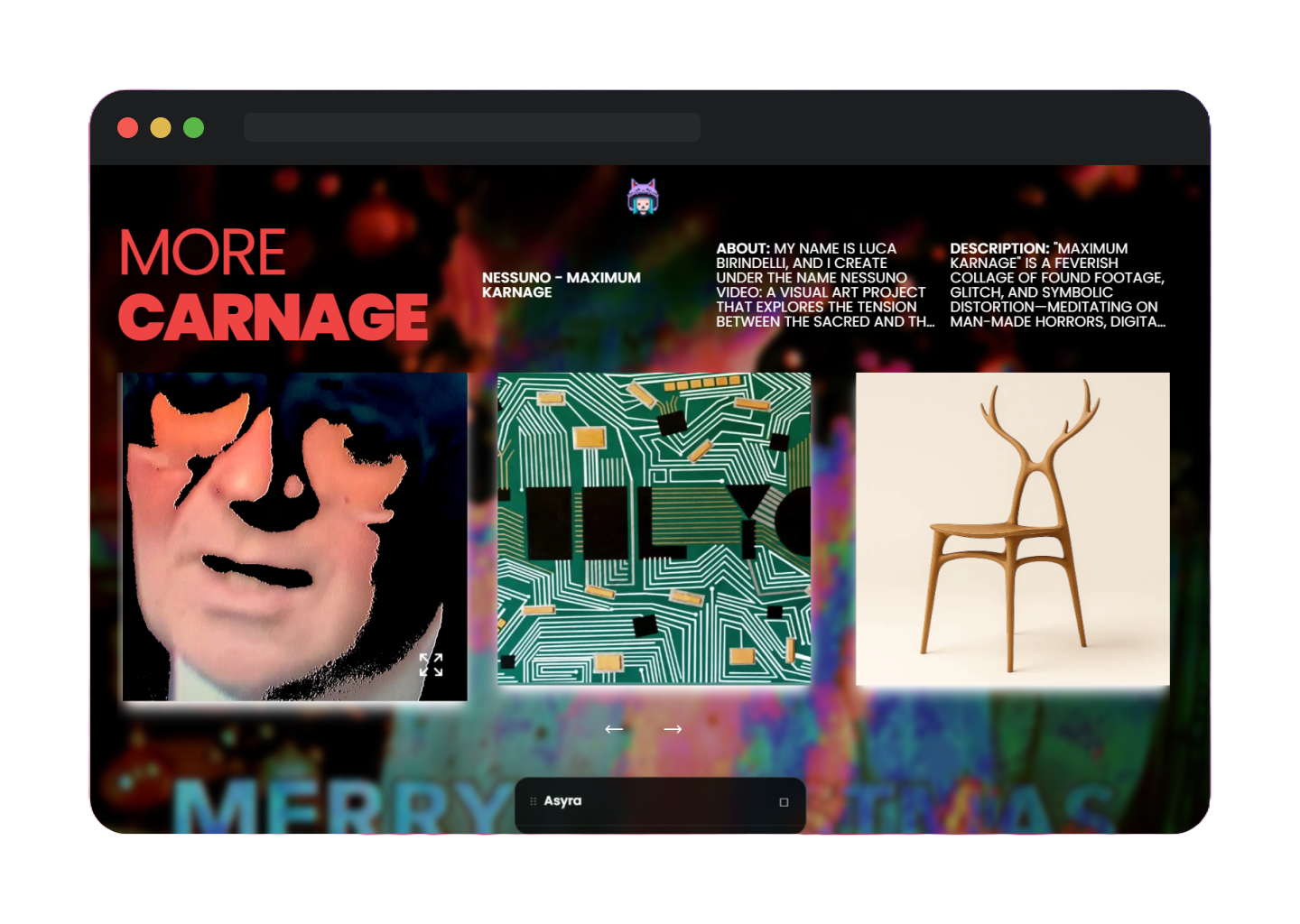
MORE CARNAGE started as a question: what if a gallery behaved like a cinematic content cave where every swipe rewired the room? That meant building a slider that isn’t just a carousel, but a stage manager—panning backgrounds, freezing scroll, and surfacing artist lore the instant someone pauses.
THE SLIDER (THE LIVING SPINE)
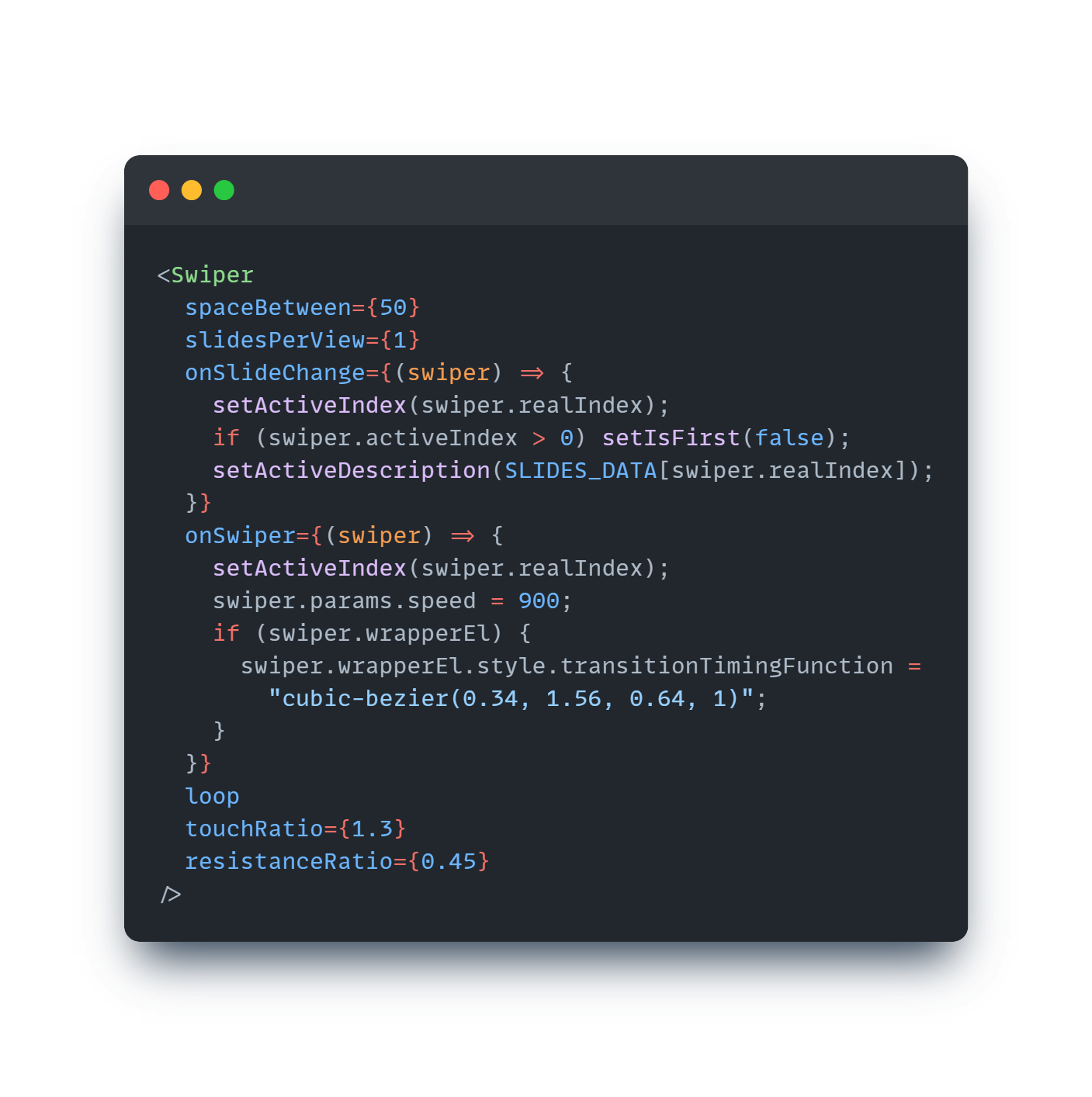
The Slider component orchestrates state (activeIndex, isFirst, dialog controls) while binding Swiper.js to the gallery data. It tweaks speed and easing at runtime so motion feels elastic rather than generic.
That callback trio does most of the experiential lifting: it establishes which story block, background, and video should react; it also dials in a rubber-band feel (touch ratio, resistance) that nudges visitors to drift rather than flick.
THE BACKGROUND (THE CINEMATIC BACKDROP)
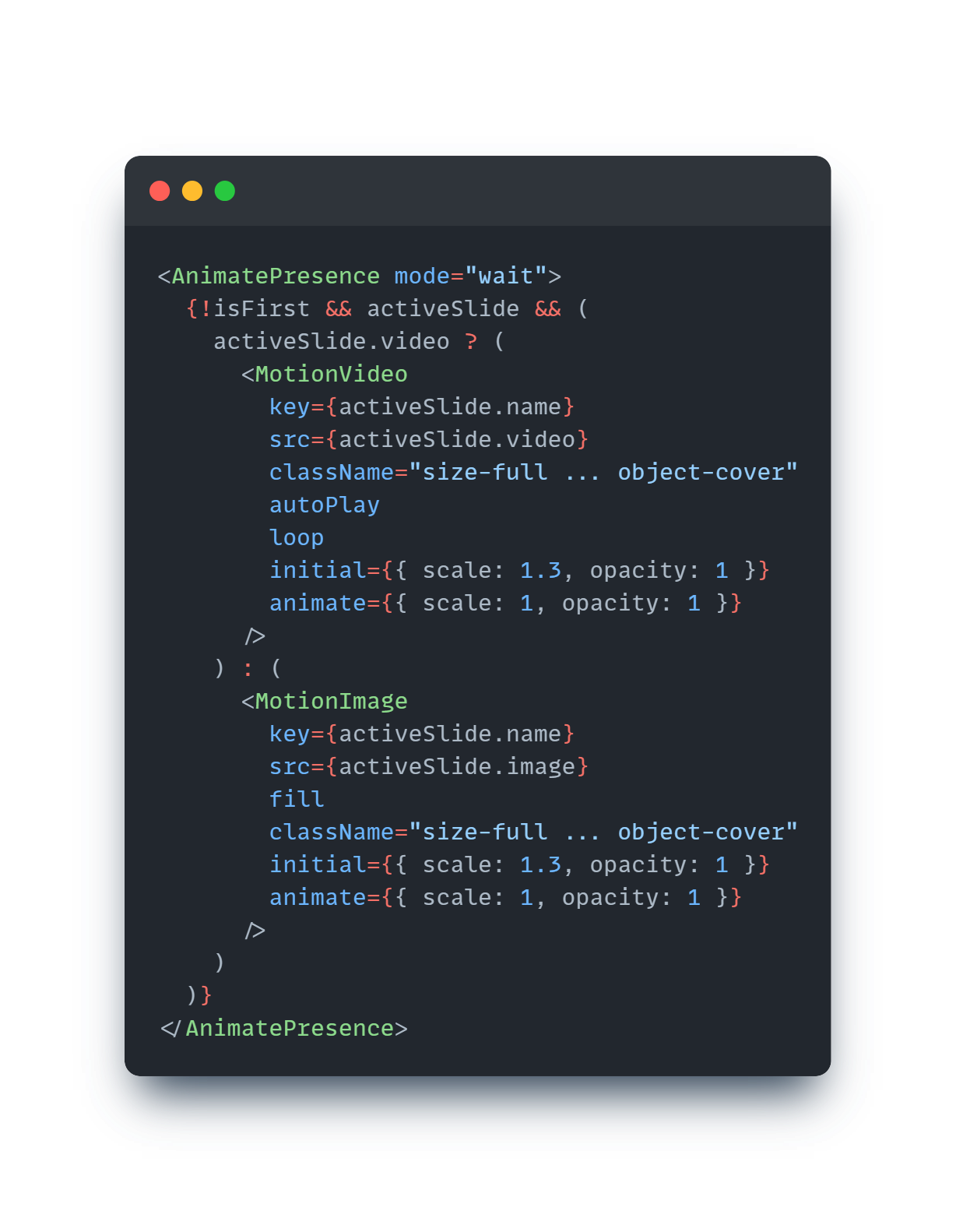
To make every slide feel like entering a new room, the Background component watches activeIndex and fades a full-bleed video or still behind the content. Motion AnimatePresence gives it a gentle zoom-out that mimics a projector refocusing.
KEY COMPONENTS
- <AnimatePresence mode="wait">
- From Framer Motion, it controls how elements enter and exit the DOM.
- mode="wait" ensures that the outgoing backdrop fully finishes its animation before the new one fades in, creating a smooth, film‑like transition instead of a jarring cut.
- Conditional rendering (!isFirst && activeSlide)Prevents the backdrop from showing on the very first slide.
- Once a slide is active, it checks whether it has a video or an image and renders the appropriate motion component.
- Video vs. Image backdropsMotionVideo: Plays a looping video behind the content, giving a dynamic, immersive feel.
- MotionImage: Displays a still image, but animated to feel alive.
- Both are wrapped in motion components so they can animate scale and opacity.
- Animation properties (initial → animate)initial={{ scale: 1.3, opacity: 1 }}: Starts zoomed‑in slightly, like a projector lens out of focus.
- animate={{ scale: 1, opacity: 1 }}: Smoothly zooms out to normal scale, mimicking a cinematic refocus.
- This subtle zoom‑out effect makes each transition feel like entering a new “scene.”
- Styling (className="size-full ... object-cover")Ensures the backdrop fills the entire viewport and crops appropriately, so it feels like a wall‑to‑wall projection.
Because the background flips between video and stills automatically, hybrid exhibitions (moving image next to static sculpture) keep a consistent cinematic framing, and we get a free color wash across the UI.
TOUCH, PAUSE AND DIVE
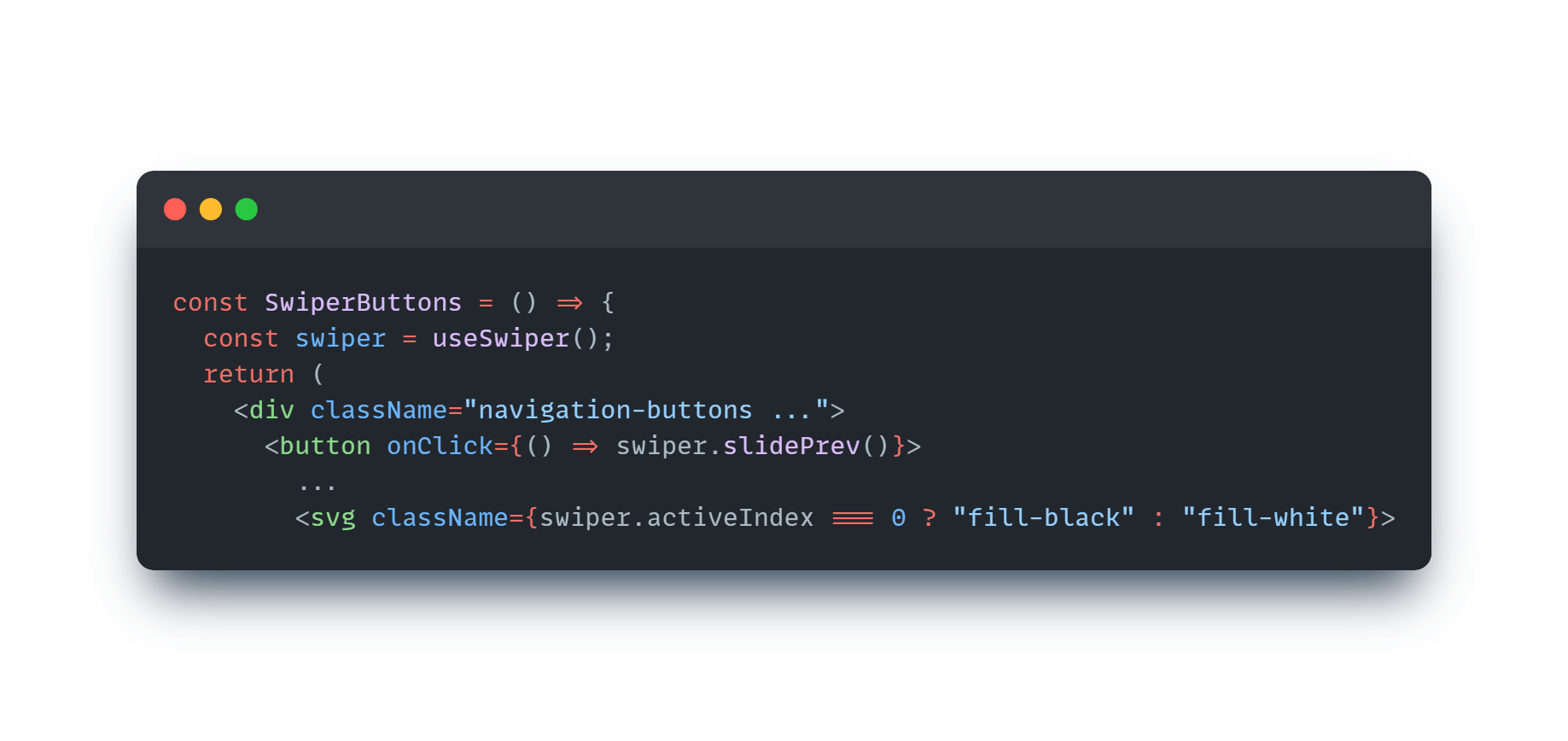
We lean on SwiperButtons and Lenis scroll control to shape flow. Buttons live inside the Swiper context so they always know which direction to hint at, and Lenis pauses when the video dialog opens, forcing intent when someone wants to watch a full piece.
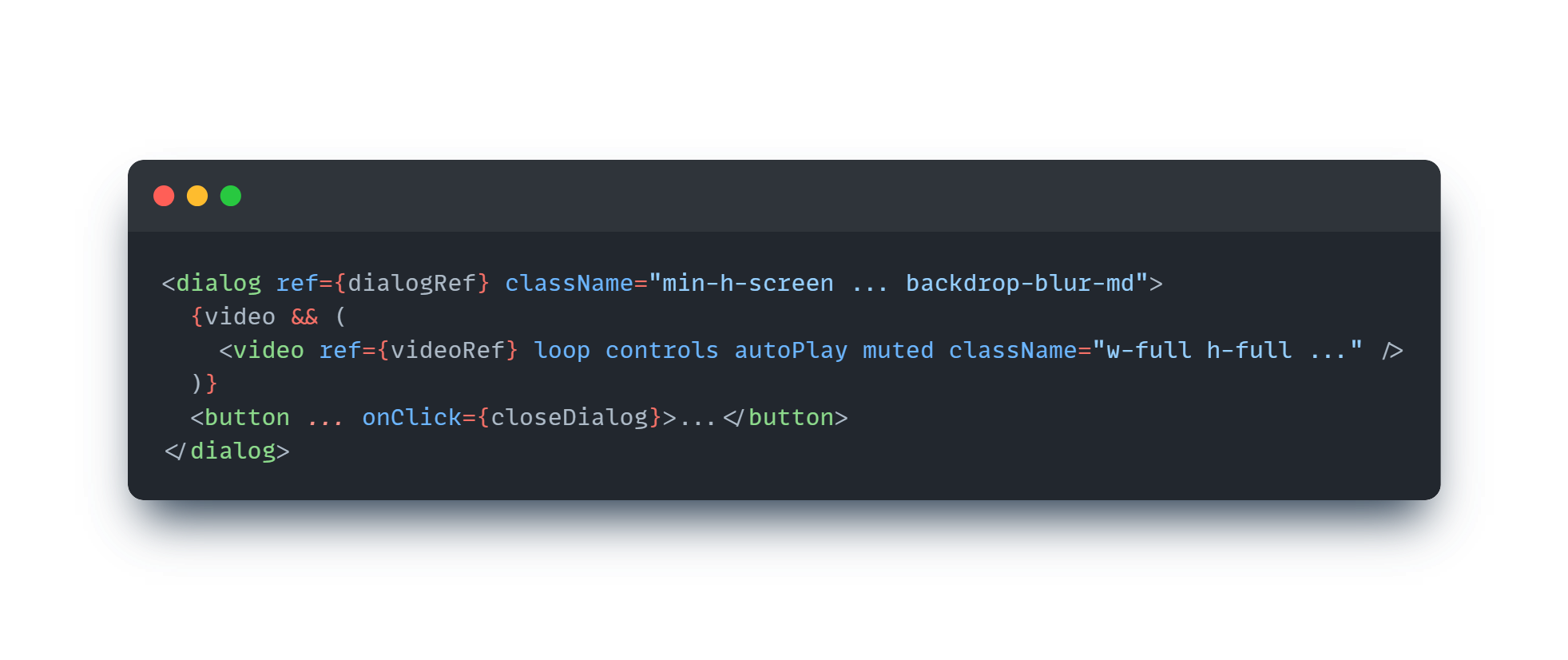
Opening the dialog stores the current timestamp, stops Lenis, and replays the video in a full-bleed modal. Closing it resumes scroll, so the gallery feels like a playable mixtape, not a passive slideshow.
All of these choices ladder up to the same goal: MORE CARNAGE should feel like a digital rave of serious art, where swiping is performative and every interaction hints that something unstable is about to happen. The code is intentionally declarative, letting us dial in behaviors (timing curves, clamped copy, video resets) without re-architecting the gallery every time new chaos arrives.
CHECK OUT THE FULL COLLECTION NOW
VIEW THE DIGITAL GALLERY EXPERIENCE ON ASYRA AI
- Learn more about our current work and projects.
- Discover the motivation behind our work.
- Dive into concepts that interest us as a company.
- Engage with society at large on topics we care about.
- Subscribe to receive the latest updates from Asycd.
- Follow us on social media for more insights and discussions.
- Contact us for collaborations or inquiries.
At Asycd, we are dedicated to harnessing the power of AI to drive positive change and innovation in our work. Our intent is to utilize AI technology to support our mission and the missions of our clients, aiming for meaningful impact and advancements in the digital landscape.