10 June 2026 · development
Designing AI‑Driven Content Layouts for GUTSTRING: A System That Reads the Art
GUTSTRING’s new layout engine turns creative chaos into something beautifully intentional. Instead of forcing artists into templates, the system reads each piece—its rhythm, scale, and mood—and arranges it with quiet intelligence. Every layout becomes a small act of interpretation, not automation. I

As we continue to build our platform, we came across an idea to implement a showcase section for highlighted creators. The content they submit ranges from short text snippets to several-minute videos, image series, and audio pieces.
Our question was simple but ambitious: instead of hand-designing a unique page for every artist, could software understand the work and choose a presentation that feels intentional — without losing the brutalist, editorial tone of GUTSTRING?
SIGN UP FOR EARLY ACCESS NOW AND RECEIVE A LIMITED TIME ONLY PROFILE BADGE.
How Might this Work?
Squarespace AI Assistant
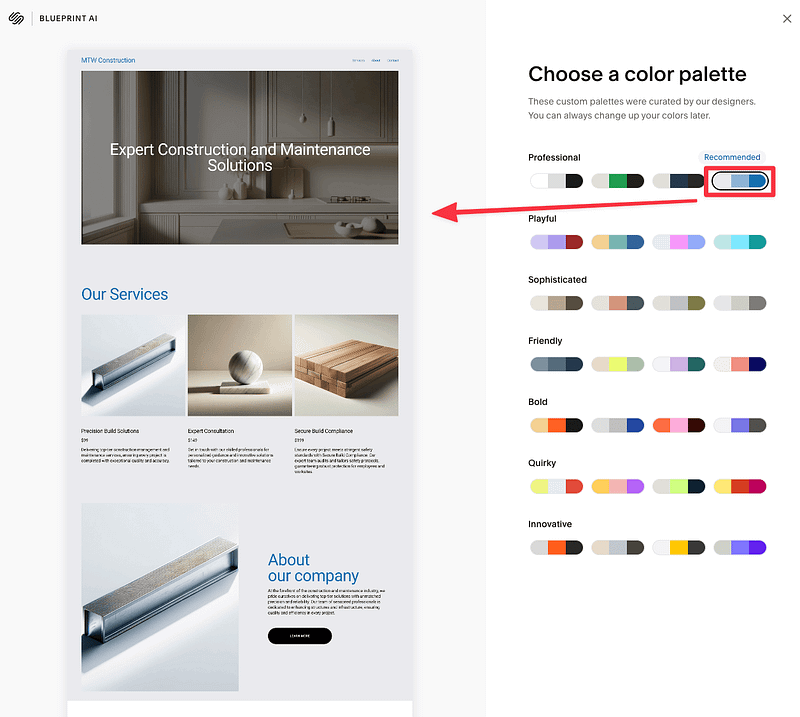
Squarespace’s AI assistant is a useful reference. You can start from a blank page, add minimal copy and a few images, and receive several AI-generated layout suggestions on the fly. The templates are often generic, but the premise is solid: infer structure from content, not the other way around. For GUTSTRING, we want something stricter and more artistic — layouts that feel like a gallery or poetry broadside, not a SaaS landing page.
Fundamentally, this is about reading what the artist submitted and finding a restrained, repeatable way to present it.
Our Method
Storing the Content
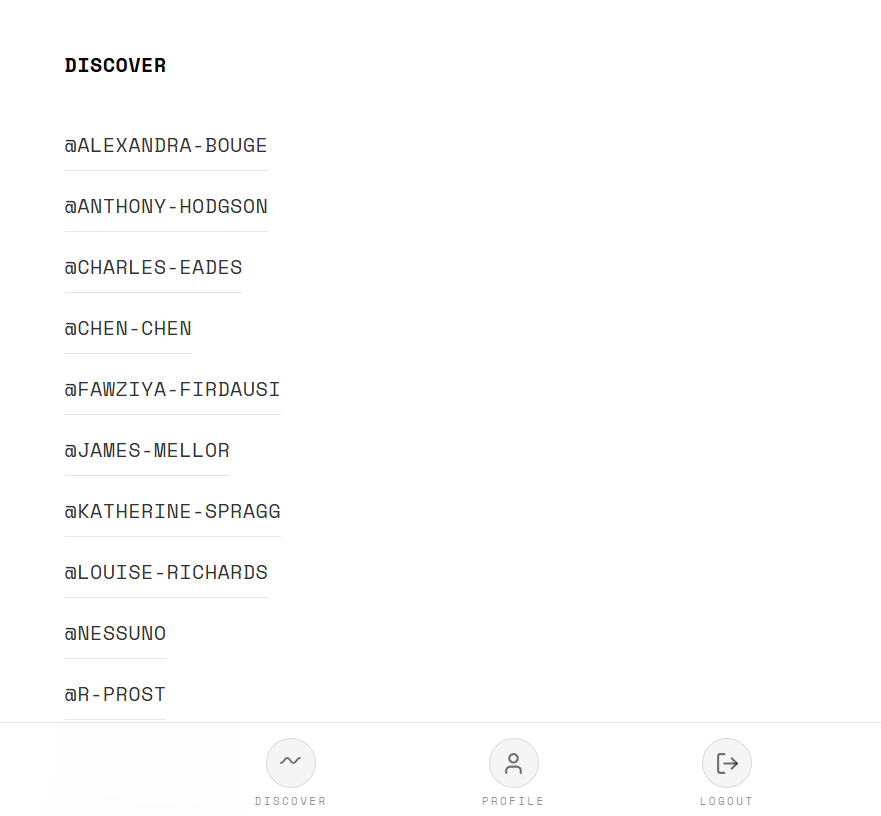
We assume content already exists in Azure Blob Storage — one folder per artist, all files at rest under a predictable prefix (e.g. gutstring/showcase/Nessuno/). Blob storage gives us file-type flexibility (JPG, PNG, TXT, MP4, MP3, etc.) and a single source of truth without coupling showcase to our main API or Cosmos DB. Discover remains the live, social feed; showcase is a curated exhibition, generated offline and served as static layout JSON.
Understanding Content Properties (Without Vision, for Now)
- Before any “design agent” runs, a compiler pass inventories each folder:
- File type — extension and MIME (text, image, video, audio, other)
- Metadata — size, last modified (order and sanity checks)
- Text — full body ingested at build time for .txt / .md files (paragraph splits on blank lines)
- Images — dimensions via Pillow (aspect ratio for grid placement later)
- Video / audio — duration via ffprobe when we enable it
We are not using vision models in the MVP. Mood, colour, and theme tags can wait; the first version is deterministic and auditable.
A Design Agent
The long-term design agent will choose among a small set of layout templates and theme tokens (alignment, spacing, accent colour) — not free-form CSS. Actions might include: pick hero-media vs image-grid, set text to left or centre, reorder sections. Outputs must validate against a JSON schema so bad generations never reach production.
A Hard Rule: Use Every File
Every blob in an artist folder must appear exactly once in the generated layout. The compiler asserts usedBlobPaths === inventory before publish. If a PDF or odd file appears, it gets a file-link block rather than being dropped. This keeps the exhibition honest: the page is the folder, not a curator’s subset.
Our MVP
For the first shipped version, we deliberately did not wait for model tuning or a fully autonomous agent. Instead we built a rule-based layout compiler — a one-time (or on-demand) script that lists each artist’s blobs, classifies them, emits a versioned layout, and uploads a root showcase-index.json so the home of the showcase section can list every participant with a single fetch.
Layout rules the compiler applies today
- Mixed text + media — First image (or video if no image) becomes a wide hero with grayscale/contrast treatment; every text file becomes its own text-block, left-aligned when media is present (poetry convention). Remaining images form a grid (two columns when there are several) or single media-block sections; each video/audio file gets a dedicated block so nothing is skipped.
- Text only — All text files are rendered as centered blocks, one after another — appropriate when a portfolio is purely literary.
- Images only — No hero preference beyond the first file; all images are placed in an image-grid with aspect-ratio-aware slots so the page doesn’t feel like a single stock banner.
- Coverage check — If compile_showcase.py finishes without assigning every path, the build fails loudly with a list of orphan files rather than publishing a partial exhibition.
About Asycd
Asycd is a creative technology studio building systems where AI and human imagination work in tandem. We design tools, research frameworks, and experimental platforms — like GUTSTRING — that turn complex technical architectures into expressive, artist‑first experiences.
- Learn more about our current work and projects.
- Discover the motivation behind our work.
- Dive into concepts that interest us as a company.
- Engage with society at large on topics we care about.
- Subscribe to receive the latest updates from Asycd.
- Follow us on social media for more insights and discussions.
- Contact us for collaborations or inquiries.
At Asycd, we are dedicated to harnessing the power of AI to drive positive change and innovation in our work. Our intent is to utilize AI technology to support our mission and the missions of our clients, aiming for meaningful impact and advancements in the digital landscape.